Recognizing the need is the primary condition for design – Charles Eames
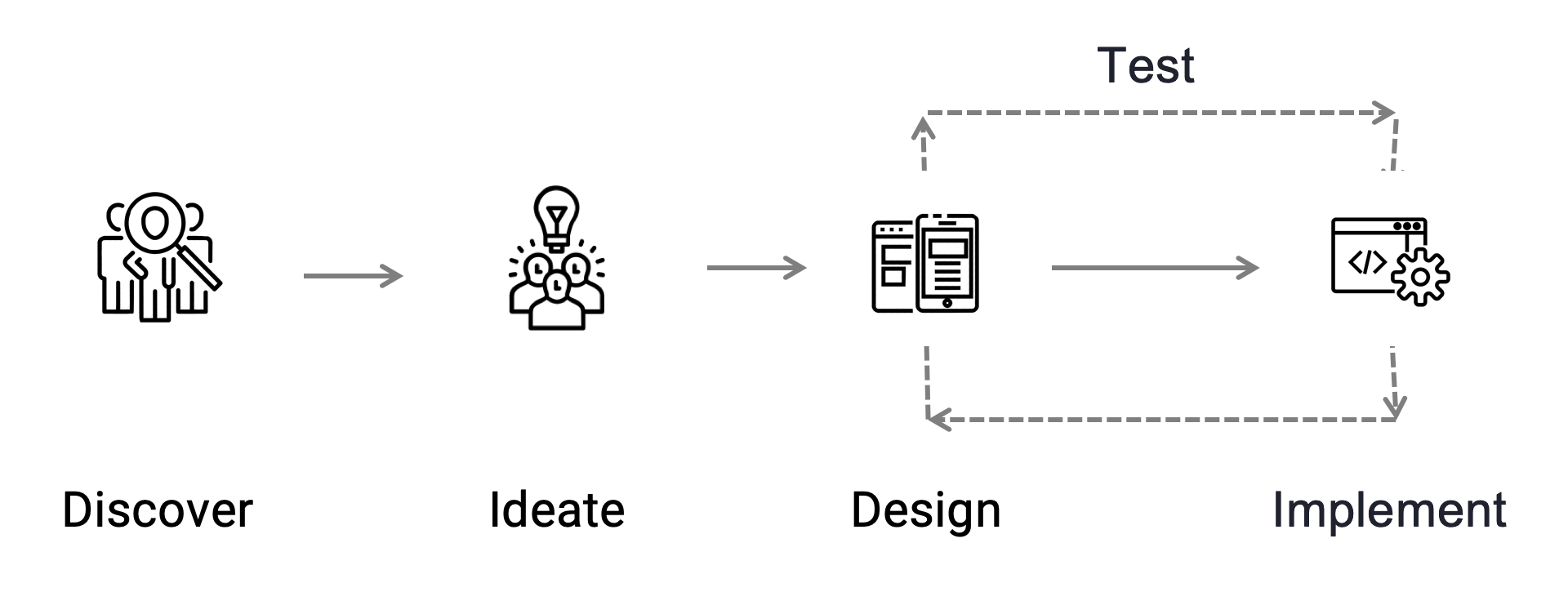
To acknowledge the importance of design, it’s crucial to empathize with users and comprehend their context. Understanding who, what, when, where, why, and how reveals the context of use, the people, their tasks, their tools, and the environment in which they will use the product I am designing. This marks a significant initial step in the design process, known as ‘Discover.’
Design Process
Discover
Design is an iterative and non-linear process. The initial step in addressing any problem is understanding it, which encompasses comprehending the business perspective, user needs, and how technology can contribute to achieving the goal.
In this phase, I may engage with stakeholders, conduct competitive evaluations and market research, perform heuristic evaluations of the existing design if applicable, review past research, assist the team in identifying design opportunities, understand user needs and pain points, and more.
As we transition from the discovery phase, it’s crucial for all stakeholders to reach consensus on the problem we’re addressing, the constraints involved, and, most importantly, how we’ll measure success.
The following are some of the artifacts I produce in each phase of the design process based on the requirements.
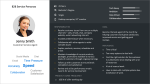
Personas are often a good way to capture user research. This one captured all of the relevant data I had at the beginning of the project in a digestible format.

A user journey map helps to understand an individual’s relationships and touchpoints with a product over time and across different channels.
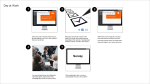
‘A day in the life’ helps to observe a user through a typical day, gain insight into the needs, behaviors, and goals of the user.
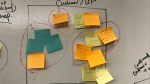
Card sorting/ mind mapping helps organize content so that it suits users’ mental models.
Ideate
In the ideation phase, my objective is to explore the design space before finalizing a single design for validation. This involves rapidly generating numerous ideas for delivering both business and user value, contrasting them, and refining the strongest concepts. The ideation phase emphasizes speed and utilizes tools such as pen and paper or whiteboard boards.
The emphasis during this stage is on generating a multitude of ideas rather than evaluating them. Frequently, I facilitate Design Thinking workshops where the product team collaborates to harness our collective creativity.
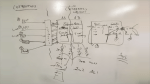
Whiteboarding sessions are useful. After generating several thumbnails, I usually refine a few ideas at a greater level of detail.
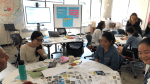
Design Thinking Workshops help to step beyond the obvious solutions and bring together the perspectives and strengths of team members and uncover unexpected areas of innovation.
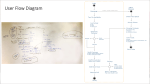
Sketching can be at the level of a single page or, as in this case, at the workflow level.
Design
In the Design phase, I take the design ideas that arise from ideation and iteratively develop them. While pen and paper and whiteboard boards remain valuable in this phase, I primarily use sketching as a tool for wireframing, creating detailed design mockups, and developing click-through prototypes.
With each iteration, I capture the designs at a higher level of detail, seeking feedback from stakeholders and incorporating more specifics to address the complexities of the system and human behavior. It’s crucial to recognize when the design has been developed sufficiently to validate it through user research. This marks the beginning of the validation phase, where learning from a prototype can spark new ideas.
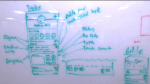
Low-fidelity wireframes represent the skeleton of the interface that includes the most basic content and static visuals to try to capture as many ideas as possible.
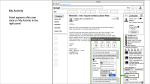
High–fidelity wireframes add further detail to the sketches and often must be self-explanatory.
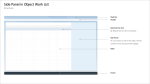
Wireframe for a page template, describing how space should be used on the page.
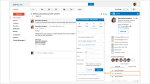
A mockup illustrates what the final design will look like when it’s put out into the real world with the use of visual design (colors, images, typography).
Prototype
I use Figma as the primary tool for crafting click-through prototypes. Frequently, I communicate designs to developers through User Stories and using Dev mode in Figma for design specifications. This streamlines the design-to-development process by enabling the team to access measurements, colors, and assets for prototypes. The click-through prototype plays a crucial role during user testing to validate the design and flows.
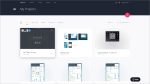
A prototype as a draft version of a product allows you to explore your ideas and show the intention behind a feature or the overall design concept to users before investing time and money into development. I use Figma as my prototyping tool.
Implement
After finalizing and gaining approval for a concept from all stakeholders, testing it, and making updates based on user testing, I move on to the design implementation phase. This phase constitutes a substantial portion of the overall design cycle, and it is crucial to manage it efficiently. The decisions made both before and during the design implementation phase can significantly influence the implemented design and project schedule. Therefore, close collaboration with the development team, providing detailed design specifications, and conducting UI testing are key activities in this phase.
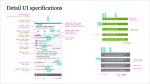
Design specifications are one of the key documents when it comes to design handoff to the engineering team.

Reporting bugs in JIRA or any other product management tool after UI testing.
Test
During the testing phase, I lead the planning of how we will test designs. Planning involves explicitly stating the objective of the user research activity and the hypotheses we aim to validate. It’s essential to know how we will evaluate the effectiveness of the design, determining the metric or metrics that indicate whether the design worked and met users’ expectations.
In addition to planning, I have experience in setting up and conducting various user research activities, ranging from online card sorting studies to usability testing, and then analyzing and reporting the results.
For user recruitment, I utilize Respondent or UserZoom, employing the latter for usability testing, benchmarking information architecture research, and surveys during the user research and testing phase.
There are multiple possible approaches to testing, and below are some of the methods I have employed.
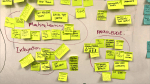
Card sorting determines how elements of UI should be organized. It helps to develop a site hierarchy and navigation that meets your users’ specific needs.
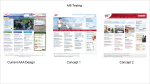
A/B testing is an easier way to compare two versions of designs, collect results from the target audience, and identify a clear winner.
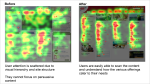
Eye-tracking can be a great accompaniment to user testing to identify how users are interacting with a UI.

User surveys are an unbiased approach to decision-making. It helps base decisions on objective information.
In the process of designing products, it’s crucial to keep in mind that the ultimate focus is on designing for people. This mindset significantly enhances the effectiveness of the design process, making it more results-driven.
 Riya Thosar